

Updated October 9, 2026. The best LLM for coding depends on your workload: small edits, repository-wide fixes, terminal tasks, and private deployments need different capabilities. Start with a model supported by your editor, test it on three real tasks, and compare correctness, review time, latency, and total cost. A leaderboard position alone cannot identify the best model for your project.
Coding models and subscriptions change quickly. This guide keeps the original model-version examples as reference points, explains their limits, and gives you a repeatable selection process. Check the linked provider catalog before buying: these versions are not necessarily the newest releases.
This is a documentation-based comparison and a practical evaluation guide. It does not report an independent hands-on benchmark of every model.
What Makes an LLM Good for Coding?
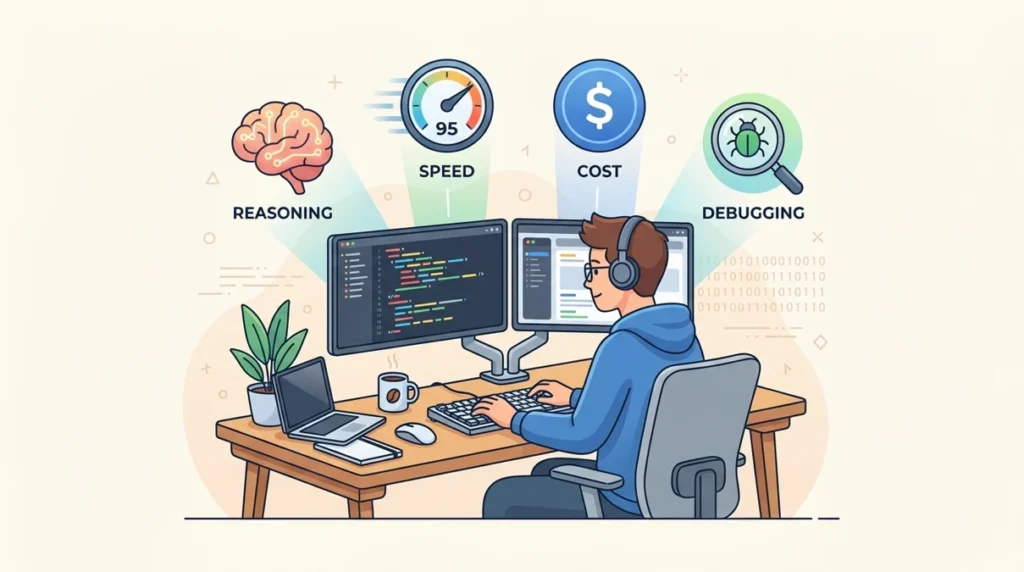
Not every metric you see on a leaderboard translates to better code on your screen. There’s a difference between a model that passes a benchmark and one that understands what you meant when you wrote that half-finished function at 11pm.
Six things genuinely separate a great coding LLM from a mediocre one:
| Factor | What to test | Why it matters |
|---|---|---|
| Patch correctness | Run acceptance and regression tests | A plausible explanation is not proof of a working fix |
| Repository context | Locate dependencies and affected call sites | Large context limits do not ensure complete understanding |
| Edge cases | Use boundary inputs and failure conditions | Basic examples can miss defects |
| Debugging | Reproduce the failure and explain its cause | A workaround may hide the underlying issue |
| Speed and cost | Measure reviewed, passing work including retries | Token speed and list price omit rework |
| Tool integration | Test in your actual IDE or agent | Tools and permissions affect the result |
The tool layer matters. Repository search, terminal access, test execution, context selection, and permission controls can change the results from the same model. Compare systems under the same conditions rather than attributing every improvement to the model alone.
How to Evaluate an LLM for Coding
Use public benchmarks to build a shortlist, then run a controlled pilot in your own coding environment. Record the model version, prompt, tools, reasoning setting, retry allowance, and test criteria so that the comparison can be repeated.
SWE-bench evaluates patches for repository issues. SWE-bench Verified is a curated 500-problem subset; results depend on the agent, tools, and evaluation setup. Other variants use different task sets, so their percentages are not interchangeable.
LiveCodeBench draws dated programming problems from contest platforms and evaluates several coding tasks. Choosing problems after a model’s training cutoff can reduce contamination risk; it cannot prove that all leakage is impossible.
EvalPlus extends HumanEval and MBPP with additional tests to catch more incorrect solutions. Passing those tests does not prove that a model has never seen a benchmark problem or that its patch is secure.
What Benchmark Scores Can and Cannot Tell You
Read a benchmark score together with its task set, date, model snapshot, agent implementation, test budget, and retry rules. An 80% result means performance on that evaluation; it is not an 80% success guarantee on your work. Small score differences may not persist under another setup.
Best LLM for Coding Generation and Debugging
Model Selection Comparison: Version Examples and Checks
| Model / original example | Consider for | Verify before choosing |
|---|---|---|
| Claude Opus / 4.6 | Complex changes across files | Current successor, editor tools, review time and spending limit |
| OpenAI GPT / 5.4 | Reasoning and terminal tasks | Model snapshot, tool support and long-context charges |
| Gemini Pro / 3.1 Preview | Multimodal and long-context work | Preview status, supported inputs and migration path |
| Claude Sonnet / 4.6 | Daily development and code review | Legacy status and current supported alternative |
| MiniMax / M2.5 | Coding and agent workflows | Exact model ID, hosting option and API limits |
| DeepSeek / V3.2 | Hosted or permitted self-hosting | Exact weights license, memory and operating cost |
| Claude Haiku / 4.5 | Small edits and interactive help | Current version, task success and rate limits |
| Gemini Flash family | Frequent smaller tasks | An actual listed model ID and quality under load |
No universal winner or independent numerical ranking is claimed here. Model support and terms must be checked against the current provider documentation.
Claude Opus 4.6: Complex Engineering Candidate
Claude Opus 4.6 is an example of a model designed for demanding coding and reasoning tasks. Consider the Opus family when a change requires following dependencies across several files. Give the agent a reproducible failure, relevant files, and explicit acceptance tests; inspect the resulting patch rather than assuming it cannot introduce regressions.
Opus evaluation checklist: use the model in a tool-supported environment, reproduce a real failure, and ask for a minimal patch with tests. Compare its additional cost with any reduction in review and repair time. Check the current Anthropic catalog rather than treating this older version as the latest release.
Workflows to evaluate:
- Vague or ambiguous debugging prompts
- Refactoring large, interconnected codebases
- Architectural planning with multiple constraints
- Long-horizon Agentic AI tasks via Claude Code
Tradeoffs to check:
- For terminal-heavy work, compare tool support and safe command execution in your actual environment.
- For high-volume work, compare accepted-task cost rather than claiming a fixed price ratio.
GPT-5.4: Reasoning and Terminal Workflows
GPT-5.4 supports reasoning and tool use for coding workflows. It can be evaluated for terminal-driven development and debugging when your integration supplies the required tools. Its API context window is 1,050,000 tokens, with a maximum output of 128,000 tokens. These are limits, not a guarantee that an entire repository will be used accurately.
Official GPT-5.4 model limits and API pricing
GPT-5.4 API reference: standard text pricing is $2.50 per million input tokens and $15 per million output tokens; cached input and batch pricing differ. Prompts above 272,000 input tokens have higher long-context rates. Tool charges may apply. An API bill is separate from a chat subscription; check current rates and set a spending limit.
Workflows to evaluate:
- CLI operations, DevOps automation, scripted deployments
- Reasoning-intensive multi-step debugging
- Agentic workflows with native computer use
- Polyglot projects (strong multi-language coverage)
Gemini 3.1 Pro Preview: Long-Context Candidate
Gemini 3.1 Pro Preview supports coding, tool use, and multimodal input. Its documented input limit is 1,048,576 tokens and output limit is 65,536 tokens. It does not have a two-million-token input window. Because this is a preview model, check availability and migration guidance before depending on it in a production workflow.
Official Gemini 3.1 Pro Preview model documentation
Gemini 3.1 Pro Preview: input limit 1,048,576 tokens; output limit 65,536 tokens. Test the exact preview model supported by your environment. Check the current pricing tier, long-prompt rates, data-use terms, and production availability before comparing its cost with another provider.
How to Compare Gemini and Opus
For an Opus-versus-Gemini comparison, use the same task, relevant files, tests, and retry allowance. Measure whether each patch passes, introduces unrelated changes, and needs extra human correction. Compare actual billed input, output, caching, and tool costs. A small published benchmark gap cannot establish equal quality or a fixed total saving.
Claude Sonnet 4.6: Everyday Coding Reference
Claude Sonnet 4.6 is a reference example for everyday coding and tool-assisted workflows. Current documentation lists a one-million-token context window and marks this version as legacy. Check the recommended successor and your editor’s supported models before subscribing. A knowledge-work benchmark does not by itself prove better code quality.
Official Claude Sonnet 4.6 model documentation
Sonnet 4.6 reference: one-million-token context window; standard API text rates are $3 per million input tokens and $15 per million output tokens, with other billing options available. Current documentation marks the version as legacy. Confirm the successor and actual editor availability before making a long-term selection.
Best LLM for Large Codebases and Complex Reasoning

Working inside a monorepo or multi-service architecture changes the problem entirely. Raw code generation speed becomes secondary — context depth, cross-file memory, and architectural understanding become the bottleneck.
Context Window Comparison
| Example version | Documented limit | Practical check |
|---|---|---|
| GPT-5.4 | 1,050,000 context; 128,000 max output | Long prompts can change billing; reserve room for tool results |
| Gemini 3.1 Pro Preview | 1,048,576 input; 65,536 output | Preview support and available input types |
| Claude Sonnet 4.6 | 1M context; 128K max output | Legacy version; compare the currently supported successor |
| Other versions in this guide | Check the exact provider model ID | Limits vary by deployment and can change |
Recommended Model by Codebase Type
Large monorepo: evaluate repository retrieval, cross-file dependency tracing, and focused tests. Token limits cannot be converted into a reliable number of code lines.
Polyglot repository: include representative tasks in each important language, with the actual build tools available. Do not assume one language benchmark covers all frameworks.
Private or regulated work: check the exact model weights license, deployment policy, telemetry, retention, access controls, and security requirements. Self-hosting can increase control, but it does not automatically establish compliance or eliminate operating costs.
Infrastructure work: test shell commands in an isolated environment and restrict destructive actions. Cost-sensitive batch work: compare cost per accepted result, including retries and review.
For a large repository, select relevant files and retrieve dependencies rather than uploading everything by default. Check whether the agent can locate the affected call sites, run the right tests, and explain the patch. A large advertised context window does not replace reliable repository navigation.
Best LLM for Beginners and Fast Workflows

Not every task needs a flagship model. For fast iterations, syntax questions, and high-frequency small edits, the calculus shifts toward speed and cost. Here’s how the lighter models compare:
Fast-Tier Model Comparison
For fast workflows, shortlist the current Haiku, Gemini Flash, or MiniMax high-speed models actually offered by your chosen provider. Check exact model identifiers; do not infer a product’s name or capability from a family label. DeepSeek and other open-weight options also require deployment-specific evaluation. Measure both latency and defect rate on small edits before adopting a faster tier.
Speed must be measured in your own environment. Record time to first useful output and total time until a reviewed, passing patch; the fastest token stream may still produce the slowest usable result.
Beginner Starter Options
Beginner options: start with an available free chat or developer tier and check its current model access, usage caps, region support, and data-use terms. A paid chat plan does not normally include unlimited API usage. An IDE subscription can include credits or request limits and may charge for additional usage; it does not guarantee unrestricted access to every model.
Free vs Paid Coding LLMs
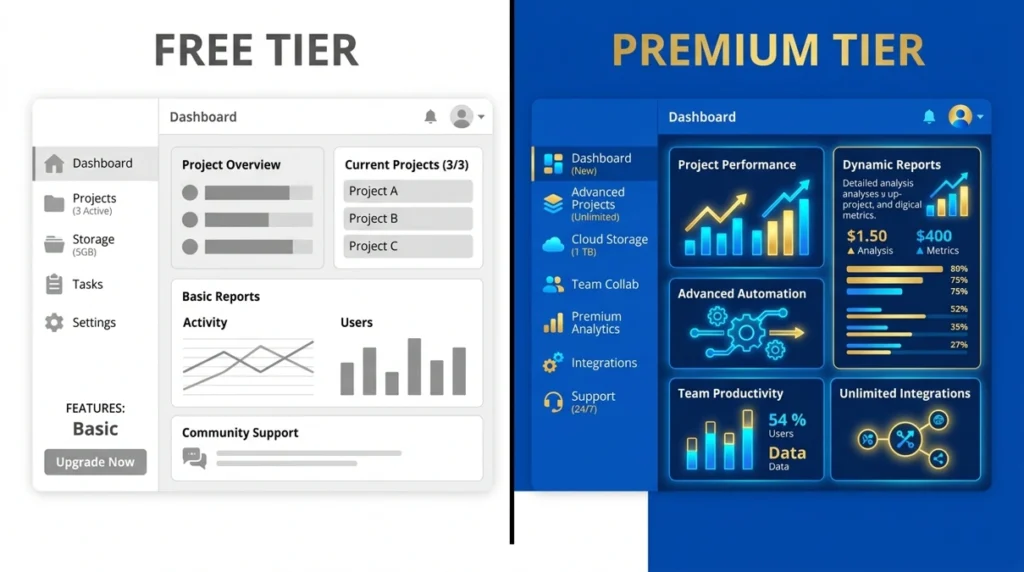
The gap between free and paid has narrowed — but not disappeared. Here’s the honest picture:
Free Tier Overview
Free-tier reality: availability and quotas differ by provider and account. Verify the model selector and rate limits before depending on a free service.
Local and self-hosted models still consume hardware, memory, electricity, maintenance, and engineering time. Choose a model that fits your hardware and verify its license. Quantization can reduce memory needs while affecting accuracy; a consumer GPU cannot be assumed to run every 32B model comfortably.
Free vs Paid: What Changes
A paid tier may offer higher quotas, different models, or additional tools, but it does not guarantee better accuracy, unlimited context, priority throughput, or enterprise privacy. Compare the specific plan and endpoint. For company code, verify retention and training terms, access controls, approved integrations, and any required contractual protections.
Cost-Efficient Team Strategy
A tiered approach may reduce spend: use a smaller model for routine tasks and escalate failures to a stronger model. Measure retries, review time, and successful-task cost before expanding it. No fixed percentage saving is guaranteed.
Route by risk and task: use a fast tier for syntax questions, drafts, and small edits; a stronger tier for cross-file debugging and architecture. Keep deterministic checks and human review at every tier. Escalate when tests fail or evidence is incomplete. Batch repetitive jobs only after the workflow is reliable, and compare total cost per accepted task.
Common Mistakes When Choosing a Best LLM For Coding
Developers repeat the same evaluation errors. Here’s a structured breakdown of what to watch for:
Mistake Reference Table
| Mistake | Better approach |
|---|---|
| Different benchmark setups | Record task set, model snapshot, tools and retries |
| Wrong test task | Use real bugs and changes from your project |
| Ignoring tool integration | Evaluate in your actual IDE or agent |
| Ignoring latency and rework | Measure time to a reviewed, passing change |
| Skipping regression checks | Retest after model or tooling updates |
| Routing too early | Add complexity only when a measured benefit justifies it |
A Small Evaluation Framework
Before choosing any model, run it against these three tests from your own recent work:
- Ambiguous bug prompt — Give it a half-described error with no file context. See if it asks the right clarifying questions or makes confident but wrong assumptions.
- Multi-file refactor — Ask it to rename a function that appears in five different files. Check whether it catches all references and explains the change.
- Edge case generation — Show it a function you wrote and ask for tests. See whether it covers the cases you’d actually worry about, or just the obvious happy path.
A model that passes your three tests is worth more than a model that tops a leaderboard.
Final Verdict: How to Choose the Best LLM for Coding

There’s no single answer — and anyone who gives you one without knowing your stack, your team, and your budget is guessing. Here’s the honest breakdown:
Quick Decision Matrix
Decision matrix: for complex debugging, test a strong reasoning model with repository and test access; for terminal work, require a safe shell integration; for daily development, prioritise supported IDE tools and low rework; for learning, require clear explanations and verifiable examples; for private deployment, check license, infrastructure, and data controls. Select the exact version that passes your pilot rather than assuming a permanent family-wide winner.
Selection Summary
Final recommendation: choose the model-and-tool combination that completes your representative tasks with the least unacceptable risk, review effort, and total expense. Keep a backup option only when your workflow benefits from it. This guide does not assign independent star ratings or claim that one model is best for every developer.
A useful coding setup balances accuracy, editing speed, cost, and control. Start with one supported model, add routing only when it solves a measured problem, and keep a small regression set to recheck after model or tool updates.
Treat every generated change as a proposal. Review the diff, run tests and security checks appropriate to the change, and keep credentials and sensitive production data out of unapproved services.
Read More: Perplexity AI Copilot Underlying Model GPT-4, Claude-2, PaLM-2
Frequently Asked Questions
Q1: Which is the best LLM for coding in 2026?
There is no universal best LLM for coding. Compare the exact model and tool setup on your own bug fix, refactor, and test-writing tasks. Select by passing results, review effort, latency, cost, and data requirements.
Q2: Is ChatGPT or Claude better for coding?
Compare the current models available in your actual editor or API environment. Chat applications and coding agents provide different tools and limits. Use the same task and acceptance tests; a family name alone cannot establish a winner.
Q3: What is SWE-bench and why does it matter for coding LLMs?
SWE-bench tests patches for repository issues. Verified is a curated 500-problem subset. A reported percentage applies to that benchmark and evaluation setup; it does not guarantee the same success rate on your codebase.
Q4: Can I use a free LLM for coding?
Yes, if an available free tier or local model meets your requirements. Check model access, quotas, terms, and hardware needs. Self-hosting still has infrastructure and maintenance costs; verify the exact weights license.
Q5: Which LLM is best for beginners learning to code?
Choose an accessible model that explains assumptions, produces small runnable examples, and helps you test them. Ask it to explain an error before giving a solution. A paid flagship is not automatically necessary for learning.
Q6: What is the cheapest LLM that still codes well?
Measure total cost per accepted task, including output tokens, retries, tool charges, and review time. A low input-token price may be outweighed by defects or long outputs. Check current rates for the exact model and endpoint.
Q7: Does using Claude Code make a difference compared to the raw API?
A coding agent adds repository navigation, tools, terminal access, and test execution around the model. Those features can affect results, but the improvement depends on the task, permissions, configuration, and evaluation setup.
Q8: Which LLM handles the largest codebases?
Large context limits help only when relevant code is selected and used correctly. GPT-5.4 documents 1,050,000 context tokens; Gemini 3.1 Pro Preview documents 1,048,576 input tokens. Evaluate repository search and cross-file tests rather than translating tokens into lines of code.
Q9: Are AI coding models safe for professional and enterprise use?
Safety depends on the service, configuration, permissions, data terms, and review process. Use approved tools, protect secrets, review diffs, and run suitable tests. Self-hosting does not automatically satisfy security or compliance requirements.
Q10: Will one LLM always be enough or do I need multiple models?
One reliable model is often enough to start. Add a second model or routing only if measured latency, cost, reliability, or task coverage justifies the extra complexity. Recheck your regression tasks after updates.
