
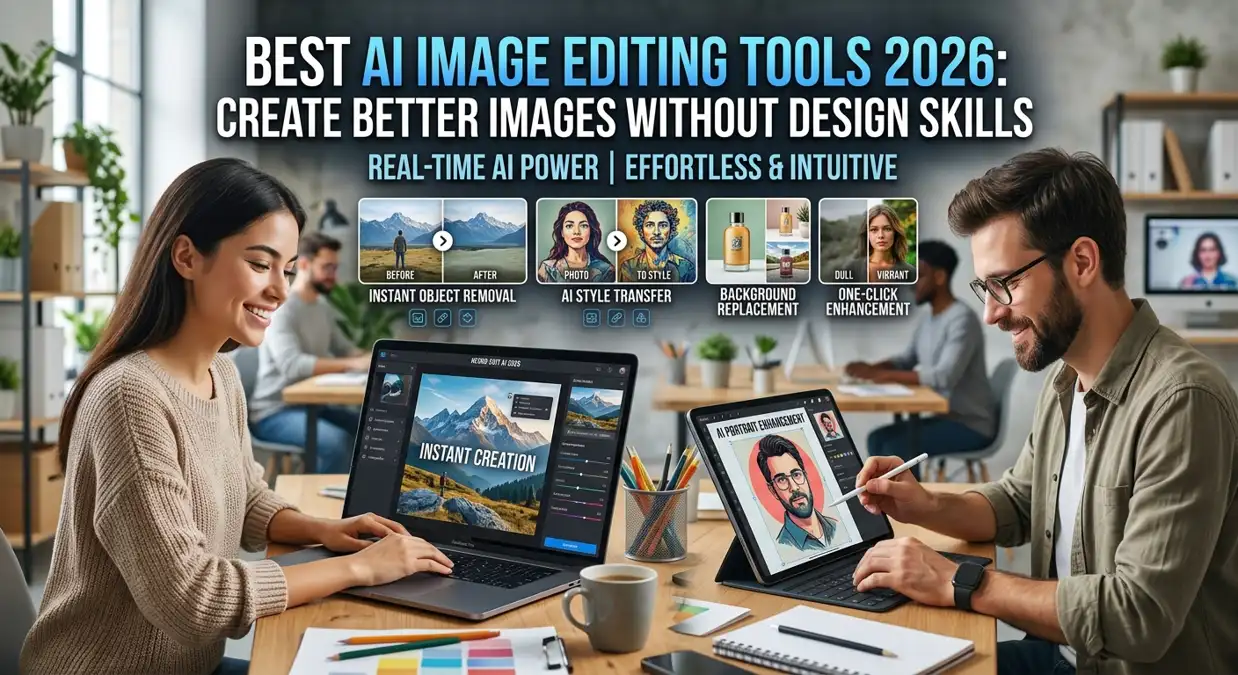
Creating usable images used to mean learning Photoshop or paying a designer for every small edit. Now, an AI image editing tool can help with background removal, image cleanup, quick variations, and blog graphics. The result still needs human checking, but the first draft is much faster.
Not every tool is worth using for a website, though. Some editors look impressive in demos but export low-resolution files, add watermarks, show too many ads, or create details that look wrong when you zoom in. This guide explains how to choose the best AI image editing tools in 2026, when an AI image editing tool’s ad-free version makes sense, and where tools like Perchance AI fit into a real content workflow.
What Is an AI Image Editing Tool?
An AI image editing tool is software that uses artificial intelligence to improve or change images automatically. Instead of manually editing every detail, you can use prompts, sliders, one-click tools, or smart selection features to make changes faster.
For example, an AI image edit tool can help you remove unwanted objects, change backgrounds, improve image quality, upscale low-resolution pictures, generate new image styles, or turn a rough idea into a polished visual. Some tools focus on editing existing photos, while others are built to generate AI images from text prompts.
The best workflow usually combines both. First, you generate the base image with an AI image generator. Then, you use an AI editor to fix details, crop the image, improve lighting, and make it ready for your blog, social media, or business project.
Why these tools matter in real workflows
Visual content affects trust quickly. A plain article with a weak featured image can feel unfinished. A YouTube thumbnail with unclear text may get ignored. A product page with poor lighting can make buyers hesitate. That is why these tools matter for bloggers, marketers, freelancers, small businesses, and students.
The biggest advantage is speed. You do not need to be a professional designer to create a clean visual. AI can help with the first draft, and then editing tools can help refine the result. This saves time and gives non-designers a better chance to create professional-looking images.
Another advantage is cost. Hiring a designer for every small image is not always possible. AI tools help creators produce more visuals with less budget, especially when they are working on blogs, Pinterest posts, YouTube thumbnails, ads, product mockups, or social media graphics.
Practical uses for bloggers and small businesses
An AI image editing tool can be used in many practical ways. Bloggers can create featured images that match the topic of an article. YouTubers can design thumbnails with better colors and clearer subjects. E-commerce sellers can clean product backgrounds or create lifestyle mockups. Social media managers can make posts faster without starting from scratch every time.
Students and freelancers can also use AI image tools for presentations, portfolios, and creative projects. Instead of searching for stock images that look generic, they can generate AI images based on the exact concept they need.
For website owners, AI image editing tools can be especially useful because they help create original visuals. Unique images can make your content look more professional and reduce the chance that your site looks like every other blog using the same stock photos.
Free vs paid options
Free tools are useful when you are testing ideas or creating simple images. Many free AI tools allow basic image generation, background removal, resizing, and quick edits. However, free tools often come with limits. You may see watermarks, lower resolution, slower generation, daily usage caps, or advertisements.
Paid tools usually offer better quality, faster processing, higher resolution, private image generation, more export options, and advanced editing features. If you create images regularly for a website or business, a paid plan can save time.
Many users search for an AI image editing tool ad-free version because ads can interrupt the workflow. An ad-free version is useful if you work daily with images, need a clean interface, or want fewer distractions while editing. For professional use, an ad-free AI image editor is usually better than a free tool filled with popups, limits, and confusing buttons.
What to check before choosing a tool
The best AI image editing tool should be easy to use, but it should also give enough control. A good tool should let you generate AI images, edit existing images, remove backgrounds, improve quality, and export files in useful formats.
Image quality matters a lot. Some tools create beautiful images but fail when you need clean text, realistic hands, product accuracy, or consistent style. Others are better for editing than generating. Before choosing a tool, test it with your real workflow instead of only looking at screenshots on the homepage.
Privacy is another important point. If you upload personal photos, client images, product designs, or brand assets, check whether the tool stores your uploads or uses them for training. A professional AI image editor should clearly explain its privacy and usage policy.
Best AI Image Editing Tools 2026: Tested Options Worth Using
There are many AI image editors available right now, but not all of them are worth your time. After testing several tools for blog content, thumbnails, and product visuals, here are the ones that actually work in a real workflow.
Canva AI – Best for Bloggers and Non-Designers
Canva has built AI features directly into its editor, which makes it one of the easiest AI image editing tools to use without any design experience. The Magic Edit tool lets you select any part of an image and change it using a simple text prompt. You can also use Magic Eraser to remove unwanted objects and the AI image generator to create visuals from scratch.
For bloggers, Canva is probably the most practical choice. You can generate an AI image, edit it, resize it for different platforms, and export it, all inside one tool. The free version is useful, but the Pro plan removes watermarks and adds more generation credits.
Best for: Featured images, social media posts, YouTube thumbnails
Free plan: Available with limits
Ad-free version: Yes, with Pro plan
Adobe Firefly – Best for High-Quality AI Image Generation
Adobe Firefly is one of the most polished AI image editing tools 2026 has to offer. It is built directly into Adobe Express and Photoshop, so you can generate images and edit them in the same place. Firefly is trained on licensed content, which means the images it produces are safer for commercial use compared to some other generators.
The Generative Fill feature in Photoshop is powered by Firefly, and it works very well for extending images, removing objects, and replacing backgrounds. If you already use Adobe products, Firefly is the most natural fit.
Best for: Professional content, commercial use, blogs, and business visuals
Free plan: Limited credits per month
Ad-free version: Yes
Midjourney – Best for Creative and Artistic AI Images
Midjourney is one of the most well-known AI image generators and produces some of the most visually impressive results available right now. It works through Discord, which can feel unusual at first, but the image quality is hard to match for creative and artistic styles.
If you need unique, eye-catching visuals for a blog header, presentation, or creative project, Midjourney gives results that look different from generic stock photos. It is not ideal for realistic product photography or text-heavy images, but for creative visuals, it remains one of the strongest options.
Best for: Blog headers, creative visuals, artistic content
Free plan: Not available currently
Ad-free version: Yes, all paid plans are ad-free
DALL-E 3 via ChatGPT – Best for Quick Blog Image Generation
DALL-E 3 is available directly inside ChatGPT, which makes it very easy to generate AI images without switching between tools. You describe what you need in plain language, and it produces a matching image. You can also ask it to adjust the image through follow-up messages.
For bloggers who already use ChatGPT for writing, adding image generation to the same workflow saves a lot of time. The image quality is good for blog use, though it may not match Midjourney for artistic styles. It handles text in images better than most other generators, which is useful for thumbnails and infographics.
Best for: Quick blog image generation, thumbnails, content workflow
Free plan: Limited generations with free ChatGPT
Ad-free version: Yes
Clipdrop – Best Free AI Image Editing Tool for Editing Tasks
Clipdrop is one of the most useful free AI image editing tools for specific editing tasks. It includes background removal, image upscaling, object removal, relighting, and image cleanup, all available from a browser without installing anything.
The background removal tool is fast and works cleanly on most product images and photos. The upscaler improves low-resolution images before publishing them on a website. If you need a free tool that handles quick edits without watermarks on basic features, Clipdrop is worth trying.
Best for: Background removal, upscaling, quick photo cleanup
Free plan: Yes, with daily limits
Ad-free version: Basic features are free and clean
Remove.bg – Best Single-Purpose Background Removal Tool
Remove.bg does one thing and does it very well. It removes image backgrounds automatically in seconds. For bloggers, e-commerce sellers, and content creators who need clean product images or cutout photos, this tool saves a significant amount of editing time.
The free version works for low-resolution exports. The paid plan gives full-resolution downloads without watermarks. It is not a full AI image editing tool, but as a single-step tool, it is faster and more accurate than doing the same task manually in Photoshop.
Best for: Product photos, cutout images, e-commerce visuals
Free plan: Yes, low-resolution exports
Ad-free version: Yes, with paid plan
Comparison · 2026
Best AI image editing tools — all tools compared
Perchance AI Image: Is it Useful?
Perchance AI image tools are popular because they are simple and easy to access. Many users like them for quick experiments, fantasy ideas, character concepts, and creative image generation. If you only want to test prompts or quickly generate AI images, Perchance can be a useful starting point.
However, Perchance may not be the best choice for every professional project. If you need brand-safe visuals, commercial usage clarity, high-resolution exports, advanced editing, or a polished workflow, you may need a more complete AI image editing platform.
Think of Perchance as a fast idea generator. It can help you explore concepts, but you may still need another image editing tool to clean, resize, upscale, or finalize the image before publishing it on a website or using it in a business project.
What Does “AI Image Generator No Restrictions” Mean?
Many people search for an AI image generator with no restrictions because they want more creative freedom. Sometimes mainstream tools block normal prompts too aggressively, which can be frustrating for artists, bloggers, and designers.
But “no restrictions” should be understood carefully. A tool with no rules can create problems if it allows harmful, misleading, copyrighted, or privacy-violating content. For safe and professional use, it is better to choose a tool with flexible creative features but clear rules against misuse.
If you are creating images for a blog, business, social media, or public website, avoid risky prompts and focus on original, useful visuals. The goal should be creative freedom, not unsafe or harmful content. A responsible AI image generator gives users control while still protecting privacy, consent, and legal boundaries.
How to Generate AI Images for Blog Posts
To generate AI images for a blog post, start with the topic and audience. A good prompt should describe the subject, style, mood, colors, and image purpose. For example, instead of writing “AI tools,” you can write a more detailed prompt like “modern flat illustration of AI tools helping a small business owner create content, bright blue technology theme, clean blog featured image style.”
After generating the image, do not publish it immediately. Check details carefully. Look for strange text, distorted hands, blurry objects, odd faces, or confusing backgrounds. Then use an AI image edit tool to crop, improve sharpness, adjust colors, and resize the image for your website.
For SEO, compress the image before uploading, use a clear file name, and add helpful alt text. A file name like best-ai-image-editing-tools-2026. webp is better than a random download name. Good image SEO helps your page load faster and gives search engines better context.
AI editors vs Photoshop
Photoshop is still powerful, especially for detailed design work. But AI image editing tools are faster for common tasks like background removal, object cleanup, image expansion, upscaling, and quick generation. Many creators now use both.
A practical workflow is simple: generate AI images with an AI tool, then use Photoshop or another editor for final polish. Photoshop is better when you need exact control. AI tools are better when you need speed, ideas, and quick variations.
If you are a beginner, start with easier AI tools. If you already use Photoshop, combine AI features with manual editing for more professional results.
Common Mistakes to Avoid
The first mistake is publishing AI images without checking them. AI can create small errors that look unprofessional. Always zoom in and inspect the image before uploading it.
The second mistake is using images that do not match your brand. If every image has a different style, your website can look messy. Try to use a consistent color palette, similar layout style, and clear subject placement.
The third mistake is ignoring image size. Large images slow down websites. Always resize and compress images before uploading them to WordPress or any website platform.
The fourth mistake is relying only on free tools when your work needs quality. Free tools are fine for testing, but professional projects often need better exports, privacy, and editing control.
Final Thoughts
The best AI image editing tools 2026 are not just about making beautiful pictures. They help creators work faster, improve visual quality, and create more original content. Whether you want to generate AI images, edit blog graphics, improve product photos, or create social media visuals, the right tool can save time and improve your content.
If you need a quick idea generator, tools like Perchance AI image platforms can be useful. If you need professional results, look for an AI image editing tool with an ad-free version with better privacy, higher quality, and stronger editing features. And if you see tools claiming to be AI image generators with no restrictions, use them responsibly and focus on safe, original, and legal visual content.
Related guides: best AI tools for business, which AI tool should I use, and best AI Chrome extensions.
FAQs
What is the best AI image editing tool in 2026?
The best AI image editing tool depends on your goal. Bloggers may need featured image creation and resizing, while businesses may need background removal, product cleanup, and commercial usage rights.
Can I generate AI images for my blog?
Yes, you can generate AI images for blog posts, featured images, thumbnails, and social media graphics. Always check the tool’s usage rights and edit the image before publishing.
Is Perchance AI image good for beginners?
Perchance, AI image tools can be useful for beginners who want quick image generation and prompt testing. For professional use, you may need a stronger editor with better export and privacy options.
What is an AI image editing tool’s ad-free version?
It means a paid or clean version of an AI image editor that removes ads and usually offers a smoother editing experience, better exports, and fewer distractions.
Are AI image generators with no restrictions safe?
Not always. Some tools may have unclear policies or allow risky content. For websites and business use, choose tools with clear rules, privacy protection, and safe commercial usage terms.

Muhammad Hanif is the author behind Smart Tech Ideas, where he writes practical technology guides, AI tool explainers, WordPress tutorials, troubleshooting articles, and digital workflow reviews. His focus is simple: explain tech clearly, avoid hype, and help readers make safer, better decisions before they install a tool, change a setting, or trust a new platform.