

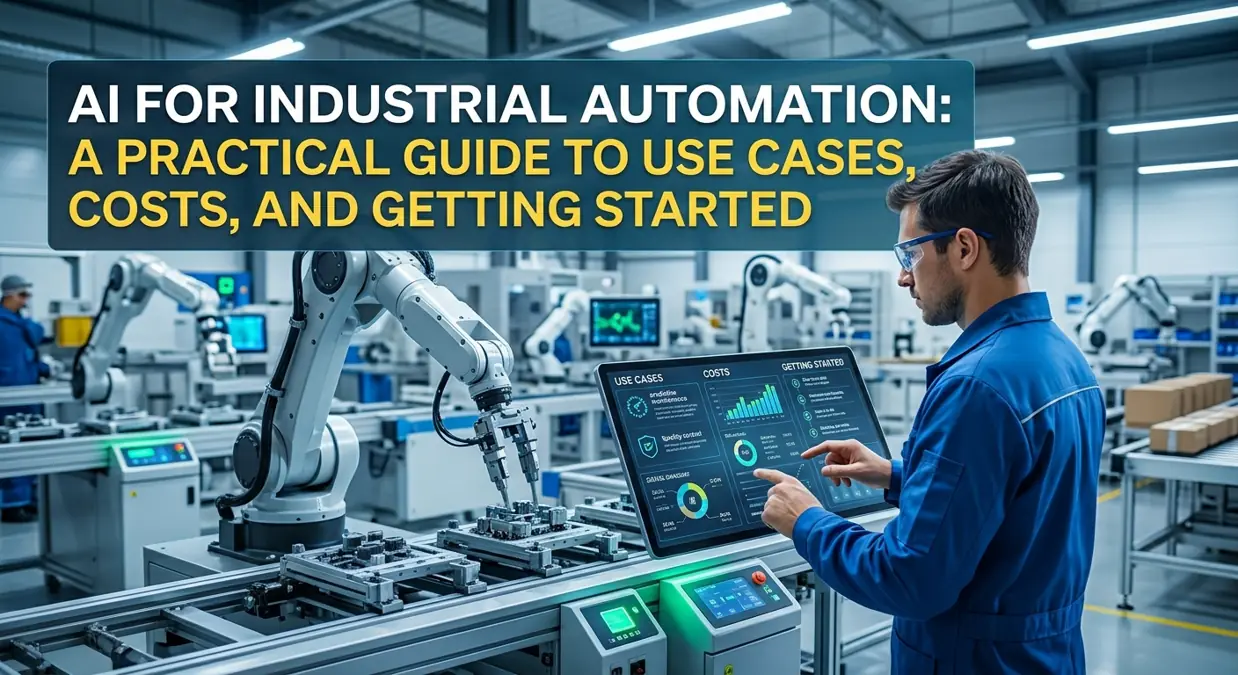
AI for industrial automation works best when it solves a specific plant problem—unplanned downtime, quality escapes, or slow changeovers—without replacing every machine on the floor. Every plant has a messy downtime log (often named something like downtime_FINAL_v7); AI helps when those notes become signals you can act on.
Let’s imagine for a moment that the spreadsheet can communicate with you. Imagine that it tells you something like, “This gearbox behaves differently now. You have to check it on Thursday before the weekend operation.”
That’s the promise of AI for industrial automation. After examining a multitude of published case studies, vendor documentation, and discussions among practitioners, I can confidently say the promise is true. But the way to realizing it is definitely less glamorous than vendors propose in their marketing materials.
This article guides you through the use of artificial intelligence in industrial automation in easy termswhat it is, which cases will pay off first, which data check is important, the roadmap for implementation, cost, and some of the common mistakes. Moreover, I cover two aspects, which many articles usually skip—robot process automation and AI for paper documentation of plants.
To give a bit of transparency. The provided examples represent general manifestations of many problems, and any numerical values included serve only an illustrative purpose. Whenever statistical data is used, the source is provided to enable independent verification of the presented information.
What is AI in the field of industrial automation? (And what is not)
In the simplest case, it is possible to explain the difference between a rule-follower and a pattern-spotter.
PLC is a rule follower. If temperature rises above 90 degrees, stop the motor. If the guard door opens, cut the power. PLC is predictable and is what you need to make sure that your machine is safe.
AI acts like a pattern spotter. For instance, a damaged bearing gives signs that humans barely notice until the end stage. The vibration pattern changes, motor current increases slightly, and sounds change in a way that only some people might recognize in a good mood. It is not a single limit that is crossed but the combination of all signs.
A machine learning model will analyze hundreds of signals and will notice that the machine does not perform properly. It is not tired and does not miss the signals.
In my opinion, for industrial automation, one should use rules for what never must succeed, while for what drifts quietly—what AI is suitable for.
Furthermore, you’ll find such an expression as AI intelligent automation. It means using AI technology combined with bots and robots for automation of your processes. Many people debate the boundary between intelligent automation and AI. However, you should understand that AI is the thing that predicts and understands something, while automation is the thing that does something.
Where it is located in the plant
Most plants are constructed in layers:
- Control layer: PLCs, drives, motion controllers, robots. Deterministic. This layer is responsible for the operation and safety of robots and other control elements.
- Supervisory layer: SCADA and HMI screens that operators watch.
- Operations layer: MES, which tracks what’s being made, quality records, and traceability.
- Planning layer: ERP and scheduling.
- Data layer: the historian or IoT platform storing time-series data from everything above.
Start AI for industrial automation above the control layer. Let it read data from the historian and send recommendations to a dashboard or to operators. Don’t let it write to a PLC on day one. Honestly, not on day thirty either.
This one decision removes most of the fear around industrial AI. If the model is wrong, a person sees a bad recommendation and ignores it. Nothing stops and nothing breaks.
AI intelligent automation also depends on those layers talking to each other. A smart alert is worthless if it can’t reach the maintenance system, and that’s a connection problem, not an AI problem. The same applies to intelligent automation and AI projects spanning several sites: the data has to line up before anything clever can happen.
The use cases that pay off first
There are a lot of potential areas, but only a few of them are promising enough for AI to provide a tangible profit for the industry. I will list them below, approximately in the order I would assess them.
1. Predictive maintenance
This is the first project, which most teams consider when implementing AI in industrial automation since there is no need for long-term calculations, and the cost of errors is obvious.
What you will need:
- Vibration, temperature, motor current, pressure, and run hours of this machine should be stored.
- Maintenance history including dates and causes of failures (“replaced bearing, drive end”), not only “repaired.”
- The machine with developing failures. Motors, pumps, fans, compressors, and gearboxes are suitable candidates for such analysis.
However, it is unsuitable for sudden electrical accidents, low-priced machine parts that can be replaced quickly, and those that usually function without interruption.
A practical trick is to start with anomaly detection. The idea behind anomaly detection is to teach the model what is normal for one particular machine and to identify any deviation. Since real failures happen rare and are badly documented, it is much more reasonable to try to detect any unusual activity instead.
The surprise for most teams is not the model itself, but alert fatigue. Ten false alarms in the first month will make maintenance stop responding to your messages. Adjust the model to produce fewer, better alerts.
2. Visual quality control
Vision is the fastest visible way of implementing AI in the area of industrial automation. Scrap and reworks are already tracked. Cameras are very inexpensive. A missed defect has a clear cost.
One of the few disadvantages of the device includes the following features:
- Lights are more than half of the story. A mediocre model with good lighting often looks better than the excellent model with poor lighting. Spend your budget for lighting.
- Define “defect” with your quality team first. Show the same 50 parts to three inspectors, and you can get three answers. If humans disagree, the model cannot learn a clear rule.
- Train on real conditions. Photos taken during a day shift may not work during the nighttime as the skylight disappears. Thus, you need to collect images of your product in various light conditions and conditions.
- Connect your detection to an action. A detection that only exists on the dashboard changes nothing. Connect it to a rejection gateway, rework queue, or traceability record.
If you would like to build an automated system for detecting cosmetic defects, you may buy some package from companies like Cognex or Keyence, which offer a set of tools to do this. In case you’d like to get more control over your system, you may try to create it using cameras from Basler, OpenCV, PyTorch, and an NVIDIA Jetson. The process of setting up your system using a ready-made package is much quicker. A custom solution is more flexible, but it needs someone who will maintain it.
3. Anomaly detection and root cause hints
Instead of receiving “alarm 47 fired,” you receive “something drifted starting Tuesday at 14:20, and these three signals moved first.”
It shines on processes with many variables, such as furnaces, extruders, reactors, and food lines, where it is impossible to track 80 trend lines at once. Moreover, it helps new employees understand what the normal behavior of these processes looks like.
4. Process optimization
Here the model suggests changing setpoints or recipes in order to improve yield or cut the energy use. That’s where AI in industrial automation becomes so tempting and overconfident.
Recommendations: the model makes suggestions, and an operator allows it. Gradually, you are able to identify good suggestions. Then, you start with automatic recommendations, but only within limits set by an engineer.
5. Planning and scheduling
Some assumptions made while scheduling are often incorrect at the moment of printing. The machine operates too slowly, delivery is late, or a rushed order comes in. A tool that re-sequences jobs from actual floor status can restore the real throughput of a factory, especially in plants with many changeovers.
6. Artificial intelligence as a tool, not an actor
Language models are good for the searching of manuals and SOPs in easy-to-understand language, the creation of shift handover notes, and the writing of work orders. This AI intelligence automation is quite simple to introduce, as nothing in this process will change on the production line.
Some vendors have their own products that integrate the technology, like the Siemens Industrial Copilot, but check the availability and licensing of the products. My only rule: every answer must reference the source document and its page. Since AI can confidently provide incorrect information, and doing so at the plant floor could be very harmful, keep it away from the control of any equipment.
Robotic process automation and AI: the back-office half of the story
As for now, most of the time the press talks about AI use on the production floors and robots performing tasks. However, it is very easy to lose time on routine computer jobs in the plant. Retyping the data in the system, creating the work order by hand, making reports about performed shifts, and getting approval to work.
That’s what RPA comes in handy. RPA bots follow the set of recorded steps in software—they open a specific screen, copy some value from there, and put it elsewhere. It is like a very fast and very literal assistant. RPA tool options are UiPath, Microsoft Power Automate, and Automation Anywhere.
On their own, bots fail if they encounter unexpected documents such as scanned PDF files or notes written in a freehand style. With the help of AI, bots can process such documents and process such things as supplier invoices, maintenance notes, or quality reports, which require human expertise.
An example with plant flavor is an alert about pump’s anomaly. The bot should create a work order in the maintenance system (like SAP PM, IBM Maximo, Fiix or UpKeep), attach sensor trend to it, check spare parts in the ERP system and ping the planner. It still requires a person for making decisions, but ten minutes of clicking are saved.
Moreover, using of Robotic Process Automation and Artificial Intelligence is usually less expensive and less risky than dealing with physical robots because they are completely software-based. Therefore, this combination is a great choice for pilot projects.
One more tip from this corner: if you automate a wrong procedure, you get a broken process accelerated. Map and simplify the process at first.
AI contract automation: the unexpected time-saver for plant teams
Here is AI for industrial automation in its least beautiful and sometimes most profitable form.
Plants sign everything: supply agreements, maintenance service contracts, warranties, equipment leases, spare-parts price lists. Renewals are buried inside PDFs. Price escalation clauses are not paid attention to. Nobody can remember who promised a four-hour response time.
Some applications analyze contracts and find out the key information: dates, prices, responsibilities, termination clauses, etc. Such tools help to avoid some undesirable automatic renewals and alert to the special clause or some other things. The examples of contract automation tools are DocuSign’s agreement tools, Icertis, Ironclad, ContractPodAi and others.
Why it matters on the floor: the contract with a service-level agreement is useless unless the maintenance team knows about it. Linking the contract information with your maintenance system helps the right person see the message that “this pump is under warranty until March” when it breaks down.
A caveat: AI contract automation software should not be considered a replacement for legal advice. Make sure that all financially or legally significant papers are reviewed by someone who is qualified for this purpose and do not upload to the software anything which is too sensitive. The article above should not be considered legal advice.
Check data before purchasing anything
It may be surprising to know what usually happens with most of AI initiatives in industry. According to various industry surveys, many AI-based projects fail because of issues with data rather than algorithms. Thus, the 2024 Gartner enterprise survey found that more than half of AI projects failed to make it to production mainly because of data problems.
And before you contact any vendor, you should spend a week and answer five questions:
- Is it possible to get data out? Modern PLCs usually support OPC UA or MQTT. Older devices need some gateway. Sometimes machines simply don’t expose anything useful, and then you will have to install sensors.
- Are timestamps reliable? If one system’s clock is off by three minutes, associating events will be complicated. Synchronize the clocks of your systems.
- Does the name of tags make sense? Such name as TT_104_PV doesn’t mean anything for the model or for a new engineer. Having a clear asset naming structure pays off in the long run.
- Do I know what happened to the machine? Maintenance logbooks, changeovers, recipes, and shifting information make sense of all that.
- What is data ownership? No one will clean this data if someone will not take responsibility.
If you can’t agree with some of these conditions, then your first project should be data project. It is okay, and it will save your money on every subsequent project.
The step-by-step roadmap that you can follow
Here is the order of things I would do for my first AI automation pilot. According to some sources, a targeted pilot should last from two to six months depending on the maturity of your data.
Step 1: Choose a number problem that you want to work out
We will choose an expensive, measurable and feasible aspect to be investigated. We will assess each option with the score from 1 to 5 for the following questions: how much will this cost per year, how fast can I collect the required data, and will the results be useful for people? Highest score will determine what we will measure. After that, we will come up with one specific goal to be achieved.
Step 2: Take the Measurements
Write down how things look like now for one or two months. Without such data, you cannot prove that it worked and “it feels better” won’t help you in the board meeting.
Step 3: Get the data flowing
Add context to your data points. Include information like product type, shift, etc. Make sure that timestamp is corrected and tag names are standardized. This lightweight stack is: PLC data via OPC UA or MQTT, Ignition or Node-RED to collect it, InfluxDB or TimescaleDB to store it, and Grafana to create dashboards. First, consider using the historian that exists in your plant, if there is one.
Step 4: Create something small first
It is better to start with the simpler and more understandable solution than with the complicated but untrusted one. In Python, there are many libraries that cover anomaly detection and prediction problems, like scikit-learn. Before choosing deep learning solutions, start with thresholding or algorithms. Output should be useful, for example, instead of “score 0.83,” write what changed, what signals have moved, and what to check.
Step 5: Run in shadow mode
Make predictions, record their validity, and do nothing else. Compare predictions of the system with real events and see if the system correctly identified the cause of the problem, if it falsely sounded an alarm (cried wolf), and how much warning it gave. Shadow mode is the security measure that allows the AI to earn the trust of the operators. Invite operators and technicians to look at the results – they will be able to identify false alerts, like “that was just a cleaning cycle”.
Step 6: Human approval followed by automation
When the results of analysis are perfect, the recommendations will be provided to staff for their acceptance or rejection. It is necessary to monitor rejections and their causes. After several weeks of positive results, it is possible for AI to control industrial production, but only a small, low-risk action with limits and a manual control.
Step 7: Monitor, retrain, repeat
Changes occur in factories all the time: machines start to fail, suppliers change materials, and sensors begin to drift. Thus, you should keep track of your models to avoid decrease in efficiency of your automation system. The successful application of the AI intelligent automation depends heavily on this stage since models that nobody maintain lose their efficiency quickly and turn into meaningless data.
Edge or Cloud?
Most teams develop a mixed approach.
- Run near the device (edge) if you need immediate results, unstable Internet, or if you are transferring large volumes of data (video).
- Use the Cloud for training, combining data from multiple sites andlong-term analysis.
Sensible approach: Train centrally, run the developed model locally, collect the summarized information and send it up.
Equipment and Hardware You Should Know
Not all the below listed tools are needed for AI industrial automation. It is a comprehensive list to inform you about existing options.
- Data plumbing: Ignition, Node-RED, OPC UA, MQTT brokers such as Mosquitto, EMQX or HiveMQ.
- Storage and dashboards: InfluxDB, TimescaleDB, AVEVA PI, Grafana.
- Modeling: Python with scikit-learn or PyTorch, ONNX Runtime for edge deployment, Edge Impulse for small sensor models.
- Edge hardware: Industrial PCs from vendors such as Advantech, NVIDIA Jetson for vision.
- Vision: Cognex, Keyence, Basler cameras, OpenCV.
- Industrial platforms: Siemens Insights Hub (formerly MindSphere), Rockwell’s FactoryTalk suite, Azure IoT, AWS IoT SiteWise.
- Retrofit sensors: wireless vibration and temperature sensors from vendors such as Banner Engineering, ifm or Augury.
- Robotic Process Automation and AI: UiPath, Microsoft Power Automate, Automation Anywhere.
- AI contract automation: Docusign, Icertis, Ironclad, ContractPodAi.
The products change from time to time, so you need to check the current offer of each vendor.
What is the cost of AI for industrial automation, and is it profitable?
Here’s a made-up but quite realistic scenario. The numbers below are illustrative; feel free to replace them with your own.
A bottleneck machine costs approximately $2,000 per hour of downtime because of unplanned downtime and maintenance. Last year this machine had around 60 hours of unplanned downtime.
- The total annual cost of downtime is 60 * $2,000 = $120,000.
- Realistic improvement: the project saves about 25% of the above time, i.e., 15 hours.
- Savings on downtime: $2,000 × 15 = $30,000.
- Savings up to $8,000 due to planned repairs being cheaper than emergency ones.
- Annual benefit: approximately $38,000.
First-year expenses:
- Sensors, gateway, and edge hardware: $15,000.
- Integration and engineering time: $30,000.
- Software or platform license fee: $12,000.
- The total amount is around $57,000.
Payback will happen in 18 months. I’m not going to oversell this. The sensors and data pipeline are reusable, so the second and third machine costs are very small. This is how this technology works in industrial automation: the first project is the most expensive one.
The AI in the field of industrial automation is the equation Scrap reduction × (material cost + labor cost + rework cost) + value of defects that did not get to customers.
Don’t forget about hidden costs of implementation: time for training, monitoring and security of connections and cleaning up data that usually becomes the worst surprise. In case of automation and artificial intelligence technologies, there are also licenses for bots and other tools that are usually forgotten. If you use automatic processing of contracts you also need to budget for its setting up and checking up the terms that was extracted from them.
Safety and security: don’t leave them for later
Never try to use AI in the safety functions. The emergency stop buttons, interlocking, and guards must remain deterministic and comply with the relevant safety functions standards. It is necessary to involve your safety engineer in this issue if your project is related to it.
Maintain connection. Linking plant data with analytics extends your attack surface. Segment OT and IT networks, allow analytics systems only read-only access, use least-privilege accounts, and keep audit logs of what analytics recommended and what people implemented. You can use IEC 62443 as a reference for industrial security standards.
Mistakes To Avoid
There are plenty of such obstacles, and fortunately, all of them can be easily avoided.
- Beginning with a solution rather than a problem. “We should use AI” is not a goal. “Reducing unplanned stops of this machine” is.
- Skipping the baseline. No start and no proof.
- The creation of a project to introduce artificial intelligence in industrial automation from scratch will make you think that it’s an IT project only. However, it should involve engineers who will explain to you why certain machinery behaves in a peculiar way from the very beginning of the project.
- Trust over accuracy. The use of a less accurate model but understandable to people is preferred over some accurate black-box model.
- A lot of false alarms. Each one burns credibility
- Going plant-wide too early. Prove one line first. Overly ambitious AI intelligent automation programs are a classic way to stall.
- Allowing this effect to happen before its confirmation.
- Automating a broken process. RPA and AI can automate the process, but it will remain broken and inefficient.
- Implementing AI contract automation without reviewing the extracted terms. An expert must review the terms of each contract to identify any issues.
- Never define success. If nobody sets a goal, then nobody will say whether it was reached.
When it’s likely not worth it
The usage of AI for industrial automation is not worth it when the process is stable and already optimized; the data is too messy or inaccessible for cleaning; there is no workflow for integrating AI output; a wrong recommendation would cost more than the benefit; or a simple threshold alarm can solve the issue.
Another good question to ask yourself is: “What would we do differently if the model told us, X?”. If there is nobody who knows how to answer, pause and reflect.
What about agentic AI?
Many agents will act not only as advisors but also perform actions on behalf of an agent in order to change the agent’s state in a certain way. Agentic tools are the future of industrial automation where intelligent automation and AI converge.
I would treat this development with cautious interest. However, the same rule that applies to simple ML models in shadow mode is amplified: we need more guardrails, more restrictions on access, and audits.
Some numbers to know (please check them)
There are a lot of statistics concerning the application of AI to industrial automation, and most of them are generated by market research firms or vendors which want to promote their products. Take them as statistics that show the general direction of trends. It is advisable to check these statistics.
- According to analysts, predictive maintenance based on AI helps reduce unplanned downtime by 30-50%. However, these are estimates, not guarantees.
- According to Siemens’ “True Cost of Downtime” report, unplanned downtime costs the 500 largest companies of the world $1.4 trillion annually.
- According to the 2026 Deloitte manufacturing AI survey, most manufacturers report that there is some value of AI in their field but only few of the use cases have been successfully scaled. Piloting is one thing, but implementing the use case in full scale is rather another.
- Market-size forecasts for AI in manufacturing differ by roughly three times between the research firms, so pick one source and mention it.
Quick FAQ
What is AI for industrial automation?
It suggests using computer vision and machine learning technologies for predicting, detecting, and optimizing different processes and aspects in a plant, and acts as an additional decision support for human operators and automatic controllers.
How is AI intelligent automation different from regular automation?
Automation with AI means the system has learning models to recognize patterns, analyze data and perform actions based on these patterns. The user still monitors the process.
What is the role of RPA and AI in a factory?
They are responsible for routine and repetitive computer work at the plant, including data migration, creation of work orders, reading of the documentation, compilation of reports. It is a low-risk place because they do not deal with machines directly.
Does AI contract automation make sense for a plant?
You probably need a lot of it if you’re dealing with numerous supplier and service agreements. It will help you to follow dates, costs, and liabilities. Make sure that only a knowledgeable person will check the agreement for you.
Is AI safe for industrial automation?
It can be if it is out of safety functions, begins in advisory mode, and stays behind good network security. Talk to your safety and security teams about this issue.
Are small manufacturers able to use AI technology?
Generally, yes. Even a single retrofitted sensor kit or inspection camera could be a good first step. After that, it’s possible to scale the operations.
Conclusion
So, if there’s one thing that one should remember about AI in industrial automation, it is the fact that it should be applied to one specific, dull, and costly problem and solve it properly.
The team that works at night will also have valuable information for you. Ask them what is always breaking down, what should be trusted more, and what should be avoided. Their answer is much more valuable than any slide deck that I would show you.
The final step before implementation is to check the data, establish the baseline, and use shadow mode in order to make your staff trust the new system. In case the paperwork consumes the working week of your staff, you can use robotic process automation (RPA), artificial intelligence (AI), and contract automation as well, since in this case the quickest win is located inside your company.
This material on artificial intelligence in industrial automation is purely for informational purposes, not engineering, safety, or legal advice. Always contact qualified professionals and adhere to the procedures and regulations established on your site when modifying the production system or relying on the contract summaries.
Read More: Why Does My Laptop Get Hot
