
The best low cost AI business ideas for beginners are four services you can run from a laptop at home: writing for one local niche, resume and LinkedIn rewrites, a monthly social package for shops you can actually visit, and a narrow FAQ chatbot for businesses that miss WhatsApp or website messages. Start on free ChatGPT or Claude plus Google Docs. First cash usually comes from a paid sample to people you already know, not from a product listing.
I am writing this as a start plan, not as a diary of clients I already billed. I opened the ranking roundups for these queries on 24 November 2026. Most of them list the same ten ideas, print a monthly ceiling, and skip the part a beginner actually needs: what the first week costs, what you say to the first owner, and what you refuse. This page fills that gap. Tool limits move; check the vendor page before you pay for anything. For which free plan survives a real month of writing and research, use Best Free AI Tools Tested instead of a second chatbot signup.
How I scored the ideas
I scored six offers a beginner can start from home. Cash is the money you spend before the first invoice, not the hours. Time to first client is a range, not a promise. Skill is whether you already write clearly, already know a trade, or have to learn a builder. Home / Pakistan is honest about WhatsApp, load-shedding, and local prices. Risk is how badly a mistake can hurt the client.
Pick one row. Running two at once is how people still have no sample in week three.

Comparison: six low-cost AI business ideas for beginners
| Idea | Startup cash | Time to first client | Skill you need | Home / Pakistan | Score |
|---|---|---|---|---|---|
| Resume and LinkedIn rewrite | $0–$20 | 3–14 days if you already know job seekers | Clear writing; you learn ATS layout as you go | Strong. Local CVs in PKR; overseas jobs in USD via Wise or a similar account | 9 |
| Writing and editing for one local niche | $0–$20 | 1–3 weeks with warm messages | You must enjoy editing more than prompting | Strong. Clinics, tuition centers, shops already pay for posts and pages | 8 |
| Monthly social package for local shops | $0–$20 | 1–3 weeks if you can walk in or WhatsApp the owner | Taste, consistency, and getting approvals | Strong. Meta’s free scheduler is enough to start | 8 |
| FAQ chatbot setup for one local business | $0–$40, then the client’s tool bill | 2–4 weeks, because you need a demo and trust | Patience, testing, and writing a source sheet | Good if the shop already gets WhatsApp or site chats. Do not host the bot on your home PC | 7 |
| One admin automation (form to sheet to alert) | $0 for a demo; paid plan when the client depends on it | 3–6 weeks | Comfort with Make, Zapier, or n8n | Good. WhatsApp or SMS alerts fit local shops. You carry support when it breaks | 6 |
| Digital products (templates, tested prompt packs) | $0–$15 listing fees | 4–8 weeks to a first sale, often longer | A niche you already understand | Possible from home, but discovery is slow and Etsy/KDP have AI disclosure rules | 5 |
Scores are my ranking for a beginner who needs a first invoice, not a forecast of income. I left consulting retainers off this table on purpose. An audit at $1,500 is a real business, and it is not a low-cost start.
What “low cost” and “no investment” actually mean
Low cost, in practice, is a free chat plan, Google Docs or Word, a free Canva plan, and a way to get paid. That stack is $0 before the first job. The first paid upgrade that is usually worth it is a chat plan around $8–$20 a month once you hit a cap every day, or ElevenLabs Starter at $6 a month if you sell a voiceover that needs a commercial licence. Canva Pro is optional. You do not need it to send a sample.
No investment is a search phrase, not a law of physics. You still pay in hours. Plan on six to ten unpaid hours of samples before anyone pays you. If you work from home in Pakistan, the quiet extra cost is power and a backup: a UPS or a charged laptop battery so a draft does not die mid-edit. That is a household cost, not a business loan, but it is real. Do not tell yourself the business is free if you cannot stay online for a two-hour delivery window.
Platform fees eat cheap products. Fiverr keeps 20% of the order. Gumroad takes 10% plus $0.50 per direct sale. Etsy charges a listing fee (commonly $0.20) plus a transaction cut, and some locations add a shop set-up fee. Invoice locally and you keep the fee, then you do the chasing. I would rather send a JazzCash or bank invoice to a shop I can visit than list a $5 prompt pack and wait.
If you are choosing which assistant to live in for the first month, match the job, not the hype: Which AI Tool Should I Use is the decision page on this site. For what a small business should even put an assistant on, see Best AI Tools for Business.
1. Resume and LinkedIn rewrites
This is the fastest beginner offer because the buyer already knows the problem. They have a dated CV, a job post they care about, and a week. You are not selling “AI resumes.” You are selling a clean document that matches a real role, plus a LinkedIn headline and About section that do not contradict it.

What you sell
Keep one package at the start. A usable beginner offer: one tailored resume, one LinkedIn headline and About rewrite, files in Word and PDF, one revision round, 48-hour turnaround once you have the intake. Overseas, $50–$120 is a fair first band if you have samples. In Pakistan, local job seekers often pay far less; a few hundred to a couple of thousand rupees can be the real market until you have testimonials. Raise the price after three paid jobs. Add a cover letter later. Do not invent a six-tier menu on day one.
The workflow
Build an intake before you open a chat window. Ask for the current resume, the target job title, a link to one job post, three accomplishments they are proud of, gaps they want help explaining, and one sentence: what should the hiring manager remember. If they cannot name a target role, you do not have a job yet. You have a therapy session.
Structure the page yourself: short summary, skills pulled from the job post, experience in reverse date order, education, one extras line. Then draft section by section. Tell the model to use only the facts in your notes, to start bullets with a verb, and to add no numbers you did not supply. Paste one section at a time. A whole old resume dumped into a prompt is how fake metrics appear.
Edit out loud. Cut “results-driven” and “excellent communication skills.” Keep “trained 12 staff in three months” only if the client said twelve. Save a .docx. Fancy columns, text boxes, and headers still confuse some applicant-tracking systems. One column, normal headings, a normal font. Run a keyword check against the job post if you use a matcher; do not stuff white text. Deliver Word and PDF, a short note of what changed, and one revision that covers facts and a second similar job post, not a new career.
Where the first clients are
People you already know who are applying this month. Alumni groups. LinkedIn, with a before-and-after that has the name removed and permission attached. Local Facebook job groups, if the rules allow a service post. Fiverr is optional and slow after fees. Do three discounted jobs only if you get a written testimonial and permission to show a redacted sample. After that, charge.
2. Writing and editing for one local niche
Small owners already pay for pages, emails, and product text. They hate doing it. Your value is the edit. Raw model prose is easy to spot, and the owners who have tried ChatGPT once already know that. You draft faster, then you make it sound like the business and you check every price, hour, and claim against what they gave you.
Pick a niche you can name in one line: physiotherapy clinics, boutique gyms, tuition centers, online clothing shops. Rewrite one real page from a business you like, unasked, as a sample. Send that. “I do AI content” is a shrug. “I rewrote your weekend-hours FAQ so patients stop calling to ask” is a job.
The two paid samples that land fastest are a rewrite of one weak product page, and a pack that turns one existing blog, reel, or WhatsApp broadcast into four short posts. The owner can judge both in two minutes. Do not open with a 2,000-word blog unless they already publish one. If you work in two languages, post-editing a machine translation of a menu or a service page is the same job with a second pair of eyes.
Package it. Four short posts a month, or two service pages, at one price, with one revision each. Do not sell hours. The model makes you faster; hourly pay punishes that. Ask, before you start, whether the client is willing to have AI in the draft. Some are not. Follow what they say and still edit everything.
This is also where people waste a week inside the tool. A first draft from notes you already have can save time. A one-line “write my blog” prompt usually adds a checking job. That split is the whole point of AI Tools That Actually Save Time.
3. A monthly social package for local shops
A café, salon, gym, or shop near you already knows it should post and does not. You sell a month of captions and graphics they approve, scheduled on the free tools Meta already gives them. Walk in with three sample posts in their colours, using their food or their storefront, not a stock template. That sample is the pitch.
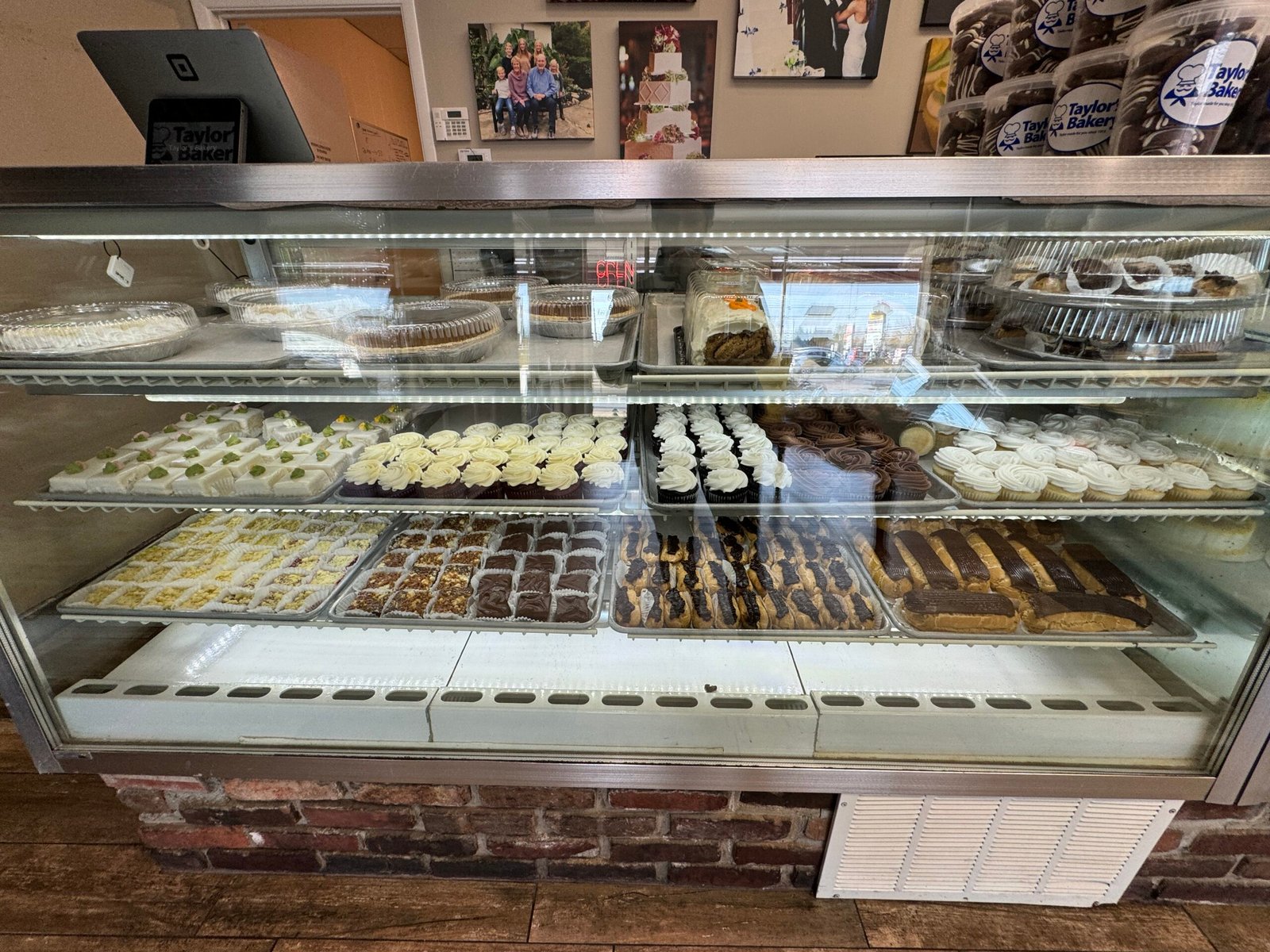
Price a month, not a post. The owner should know what lands in the planner and when they must approve it. Build in a 48-hour approval window. If they go quiet, the posts wait. Do not publish a discount the model invented. Do not argue with a customer in the comments without the owner’s line. If their Google Business Profile is empty or reviews sit unanswered, draft replies the owner signs off and one weekly Google post. That is the same package with less graphic work. Do not auto-send a reply to an angry review. On day one, the package is the calendar plus anything they already promised to publish.
Home-friendly note: you can design on a laptop at night. You still need the owner’s photos, or you need to take them. AI images of their biryani will look like someone else’s biryani. Use their camera roll.
4. FAQ chatbot setup for a local business
This is the secondary query everyone ranks with a vendor tutorial. The beginner version is not “I build AI agents.” It is: you write the facts, you set the bot to stop guessing, you capture a phone number, and you show the owner a transcript. Setup fees in public guides often sit in the low hundreds of dollars with a small monthly check. Agency pages quote custom builds in the $1,500–$5,000 range. That is a different product. As a beginner, charge a modest setup plus a small monthly update fee, or a single paid pilot week, until you have one live bot you can demo. Do not copy the agency number onto a WhatsApp pitch.
What you actually set up
Give the bot one job for the first month. After-hours capture, or the ten questions the shop answers every day. Not both. Not refunds. Not medical advice. For a local service business those two jobs are: take the name, phone, area, and what they need at 9:40 p.m., or answer hours, service area, and how quoting works.
Write a source document. Do not paste the whole website. Old promotions, dropped services, and closed locations are how bots quote last spring’s price. The sheet should list: services they do and do not do; towns or areas, not “the whole city”; hours including holidays; how quoting works, with no number unless it is printed on the site; emergency instructions if the trade has them; licence or warranty wording copied from their paperwork; the ten questions they answer on the phone, in their words.
Change the fallback before anything else. If the tool can answer from general training when the sheet has no answer, turn that off. The bot says it does not know and asks for a number. Capture the phone in the first two or three messages. Alert a person by WhatsApp, SMS, or the inbox they already open. An email nobody reads until noon is not a handoff.
Say it is an automated assistant in the first line. In some markets, including the EU from August 2026, a public chatbot has to tell people they are talking to a machine. Say it anyway, even if the shop is in Karachi. Customers who want a human look for a number. Put the number next to the widget. On a phone, check the bubble does not cover Call. Keep replies short. Ban prices, arrival times, discounts, and warranty interpretations unless those lines are in the source sheet and the owner signed off.
How you test it
Copy twenty real messages from the owner’s WhatsApp, typos included. Ask about price, timing, a job they do not do, a town they do not cover, an emergency word, a ramble, and two questions the sheet does not answer. The last two should fire the fallback. Get one outsider to try it. Then read transcripts every week for the first month. Wrong answers are a document problem. Fix the sheet, re-sync, and re-run the five worst questions after any vendor update.
The client pays for the tool. Free plans cap replies. Tidio, Chatbase, ManyChat, and similar builders publish their own meters: conversations, credits, or active contacts. Read the live pricing page with the owner. Your fee is the writing, the tests, and the weekly check, not their subscription.
Do not run the live bot on a PC in your bedroom. Load-shedding and a closed laptop take the shop offline. Use the vendor’s hosted plan, in the client’s account, with you as the person who edits the sheet.
5. One admin automation
If you like checklists more than prose, sell one boring pipe: a website or WhatsApp form that writes a row in a sheet and pings the owner. That is enough for a demo. Make, Zapier, and n8n all have a free or self-hosted path that can show a walkthrough. Free plans are small. Quote a build fee plus a small monthly check once a real shop depends on it.
Keep payments, discounts, and “we will be there at 4” behind a human. Measure against the current process. A workflow that creates duplicate leads is worse than a notebook. Record a five-minute screen video of the demo. That video is the sample.
6. Digital products, with the slow path named
Templates, planners, and tested prompt packs can start at $0. They also sit until someone finds them. If you need money this month, skip this row. If you already know one profession, a short PDF with prompts you have actually run, plus a screenshot of a real result, is the honest version. A list of 200 untested prompts is the crowded version. Etsy requires you to say when an item was made with AI. Amazon KDP requires disclosure for AI-generated text, images, or translations. YouTube will not monetise mass-produced, templated AI video. Read the current rule before you list.
Starter cost ranges you can check
These are US list prices I saw on vendor pages and on the ranking articles in late 2026. They change. Convert to PKR at the rate you actually pay, including the platform spread.
- ChatGPT, Claude, or Gemini free: $0. Enough for samples and the first jobs. Upgrade around $8–$20 a month when the cap wastes your delivery day.
- Google Docs, a free Canva plan, a free invoice template: $0.
- ElevenLabs: free is for practice and needs attribution; commercial use is on a paid plan, Starter listed around $6 a month when I checked the roundups.
- Chatbot builders: a free tier to demo; live shops often land between about $20 and $40 a month on the cheap paid rung, billed to the client.
- Automation: free for a demo; paid when the shop’s volume exceeds 100–1,000 tasks a month, depending on the tool.
- Domain and business email: later, after you know which offer sells. A PDF with samples and a WhatsApp number is enough for client one.
A sample first-month cash budget if you refuse to spend: $0, plus your time. A sample first-month cash budget if one tool is blocking you: $20 for a chat plan after the first invoice, not before. Keep $10–$20 back for the bottleneck that actually appears. Do not buy a course that promises a monthly figure.
First-client script
Send this to someone who already knows you, or to one owner whose public page shows the problem. Keep it under 120 words. Change the bracketed bits. Do not attach a PDF in the first WhatsApp if you have never spoken; offer to send the sample when they reply.
For a shop or clinic:
Hi [Name], I looked at [business] and [one specific thing: the last Google post is from March / three reviews ask about weekend hours / the site has no chat after 6]. I help [niche] with [one deliverable: a month of posts / a rewritten service page / a FAQ bot that takes the name and number after hours]. I made a short sample from your public info, no login needed. Want me to send it? If it is useful we can do a one-week paid trial at [price], one revision, then stop or continue.
For a resume:
Hi [Name], I am taking a few resume plus LinkedIn rewrites this month for people applying to [role type]. I use AI for the first draft and I edit every line against your facts. I do not add numbers you did not give me, and I do not promise interviews. If you send your current CV and one job post I can tell you in ten minutes whether I am a fit. Paid package is [price], Word and PDF, one revision, 48 hours after the intake.
If they say “sounds useful” and nothing else, they are not buying. “What does the week include?” is a buying question. Follow up once in five days, then leave it. Ten warm messages beat forty scraped ones. Bulk WhatsApp to strangers burns your number and, in many places, breaks the rules.
Time to first client, without a fairy tale
If you already know job seekers, a resume job can land inside two weeks. A writing or social package to a shop you can visit is often one to three weeks of samples and follow-ups. A chatbot or automation usually takes longer because you need a demo the owner trusts: two to six weeks is a normal wait, not a failure. Digital products can sit for a month or more. Anyone who prints “first invoice in 24 hours” as a typical result is selling a course. What you control is samples made, messages sent, and calls booked.
Pakistan and home, where it is honest
All six ideas run from a laptop and a home connection. You do not need an office. You do need a quiet hour to edit, and you need a payment path the client already uses.
Local PKR jobs: JazzCash, Easypaisa, or a bank transfer, with a one-line invoice. Overseas USD jobs: a Wise-style account or whatever your bank will actually receive, agreed in writing before you start. Do not start a job in dollars and then discover the client can only send a method you cannot cash.
WhatsApp is the inbox. For shops in Lahore, Karachi, or a smaller city, the missed messages are on WhatsApp, not on a cute website widget. A FAQ bot that only lives on a site they barely have is the wrong product. A bot or a saved-reply system on the channel they already use is the right one. Ask that in the first five minutes.
Power: do not promise same-hour delivery if you know the load-shedding slot. Do not host the client’s live chatbot on your PC. Keep your own drafts offline if you want; the shop’s bot stays on a hosted plan they pay for.
Language: bilingual pages and captions are a real offer if you actually speak both languages well enough to catch a bad idiom. Machine translation of a medical or legal page is not a beginner product.
Tax: money from this work is income. I am not your accountant. Keep a separate record from the first invoice. Pakistan’s rules and US self-employment tax are different problems; look up the one that applies to you before the second paying month, not after a surprise notice.
Legal and privacy, in plain language
Do not paste client resumes, patient lists, or customer chats into a free tool unless the client agrees in writing. Free plans are the wrong place for confidential files. If the work is health, law, or finance, skip it until you have advice. A wrong dose or a wrong clause is not a content job.
Tell the client you use AI in the draft. Hide it and you own the scandal when a line is wrong. You still check every name, date, price, and credential. The model can sound sure and still invent a degree. If a resume client asks you to add a qualification they do not have, refuse. That refusal protects both of you.
Do not promise interviews, rankings, or a monthly income. You can promise turnaround, revision count, and that you will not publish without approval.
Raw model output is a weak thing to “own.” In the US, the Copyright Office has said prompts alone are not enough for copyright. In practice: you sell the edited document, you say what rights you can actually give, and you do not offer exclusive ownership of unedited chat text. Etsy and KDP have their own AI disclosure rules. YouTube treats mass-produced templated AI video as ineligible for monetisation. Read the current page, not a screenshot from 2024.
If the bot collects phone numbers and the shop later sends marketing texts, that is the shop’s consent problem. Build the capture so the owner can prove who opted in. I am not a lawyer. This is the list of places beginners get hurt, not a full compliance manual.
What not to do
Do not sell “AI services.” Sell one named deliverable to one kind of buyer.
Do not ship the first draft. If it reads like a template, you have not done the job.
Do not invent resume facts, catalogue dimensions, medical claims, or a sale price the owner never ran.
Do not let a chatbot quote a number, a warranty, or an arrival time from general training. If it is not on the source sheet, the answer is “I will have someone call you.”
Do not put the live bot on your home computer, and do not crawl a stale website as the only knowledge source.
Do not work five ideas at once, and do not spend two weeks on a logo before one sample exists.
Do not price by the hour once you have a repeatable package. Do not underprice so far that every revision ruins the evening. Do not offer unlimited revisions.
Do not guarantee a job, a rank, or a revenue number. Do not use someone else’s before-and-after as yours. Do not buy a course that needs your credit card before you have sent five messages.
Do not dump client files into a tool whose training toggle you have not read. Do not run bulk outreach from a scraped list.
Do not start a faceless channel as your first money plan. The platform rules and the wait are both against you.
Do not sell an “AI literacy workshop” or a custom agent build as your first offer unless that buyer already asked. Those are real jobs. They are not how a beginner gets a first invoice from a shop down the street.
A 30-day start plan
This fits around a job if you can spare four to six hours a week. It assumes you picked one row from the table.
Week 1. Score the six ideas against a buyer you can actually name. Pick one. Set up the free tools only. Write the intake or the source-sheet template. Send five demand-test messages to people who fit. You are listening for questions about price and timing, not compliments.
Week 2. Build three samples. For writing or social, rewrite real public pages. For resumes, rewrite your own old CV and one friend’s, with permission. For a chatbot, build the demo on a free plan using a fictional shop whose facts you wrote down, then run twenty hostile questions. Put the samples, the price, and a WhatsApp number on one PDF page. No website required.
Week 3. Send eleven to twenty messages. Offer the sample, then a small paid pilot: one week, one package, one price. Book whatever calls appear. Track time on the first paid job so you know whether the price was sane.
Week 4. Deliver. Get the revision done inside the scope. Ask for a testimonial and one name of someone with the same problem. Write down the steps you actually used. Raise the price for the next stranger. If nobody paid, change one thing only: the buyer, the wording, or the price. Then repeat week 3. Do not add a second idea.
FAQ
What are the best low cost AI business ideas for beginners?
Resume and LinkedIn rewrites, writing for one local niche, a monthly social package for shops you can reach, and a narrow FAQ chatbot for businesses that already miss messages. Those four can start on free tools. Automation is next if you like systems. Digital products are last if you need money soon.
Can I start an AI business from home with no investment?
You can start with no software bill. You cannot start with no hours. Free ChatGPT or Claude, Google Docs, and a payment method you already have are enough for a sample and a first invoice. The real costs that still show up are your time, electricity, and later a paid plan if a cap blocks delivery. Treat “no investment” as “no loan,” not “no work.”
How do I set up an AI chatbot for a local business as a beginner?
Write a two-page source sheet, pick one job, turn off guessing, capture a phone number, and test with twenty real messages. Put it on the channel they already use. Read transcripts weekly. Charge for that work. The owner pays the builder’s subscription. Do not host it on your PC.
How do I start an AI resume writing business?
One package, one intake form, section-by-section drafts, a human edit, Word and PDF, one revision, no invented facts, no job guarantee. First clients are people you know who are applying now. Price the package, then raise it after a few testimonials.
Which small AI side business ideas still make sense in 2026?
The ones where AI is the production layer and you sell a checked result: local services, resumes, a real automation, a tested product for one niche. Generic prompt packs, unedited blogs, and templated faceless video are the crowded ones, and the platforms have started treating the last of those as junk.
Do I have to tell clients I used AI?
Yes. Tell them it is in the draft and that you edit. For a public bot, say it is automated in the first line. For Etsy and KDP, follow the disclosure rule on the current help page. Hiding the tool does not hide a wrong fact.
How long until the first client, and do I need to code?
Warm resume and writing jobs can land in days to a few weeks. Chatbots and automations often take longer because you need a demo. Coding is not required for the four beginner services. You do need to write a clear brief, check the output, and finish on time. If you cannot spare four hours a week, wait. A stale sample is worse than no sample.
Start with one paid sample
Choose the row on the table that matches a buyer you can message this week. Make three samples. Send the script. Charge a small pilot. Keep the model in the back office. The beginner businesses that work in 2026 look like that. They do not look like a new logo and a list of twenty tools.
